
Song AI Studio
One photo, one part of a song

Singing Photo: Make a Photo Sing With AI, Face or Full Body

Song AI Studio singing photo turns a still photo into a video that sings. Lip sync moves the face for 5 to 15 seconds of a song at 480p; Full body makes the person sing and move, head, arms and body, for up to 60 seconds at 720p. Sign in, add a clear photo of one person, tick a consent box and pay credits per second.

The face sings along, up to 15 seconds. The lower price.

Photo

Drop a photo here

Works best with a clear, front-facing photo of one person, shoulders up.

Song

Drop a song here

No celebrities or public figures, and no photos of people who haven't agreed.

15 credits a second of video · refunded if it fails

Photo: PNG, JPG, WEBP, up to 10 MB · song part: 5 to 15 seconds · The photo and the clip are uploaded to make the video and deleted after 24 hours. The video stays downloadable for 14 days.
  • Lip sync or Full body
  • Up to 60 seconds
  • Consent box on every run
  • PNG, JPG, WEBP photos

Singing photo examples

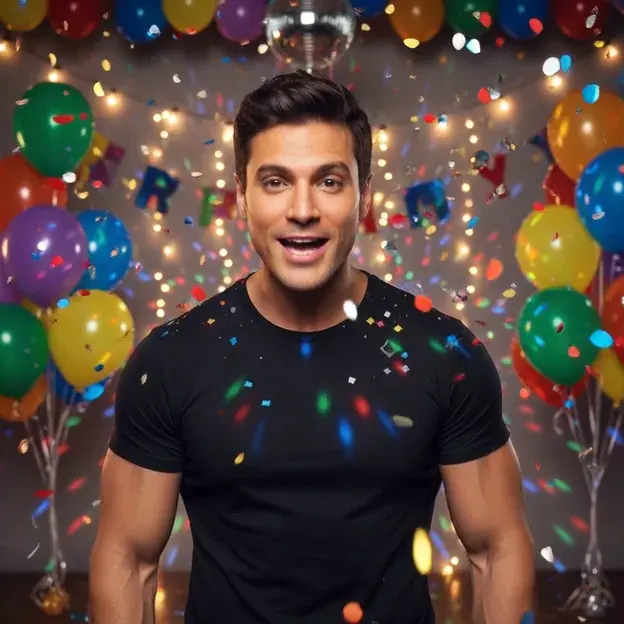
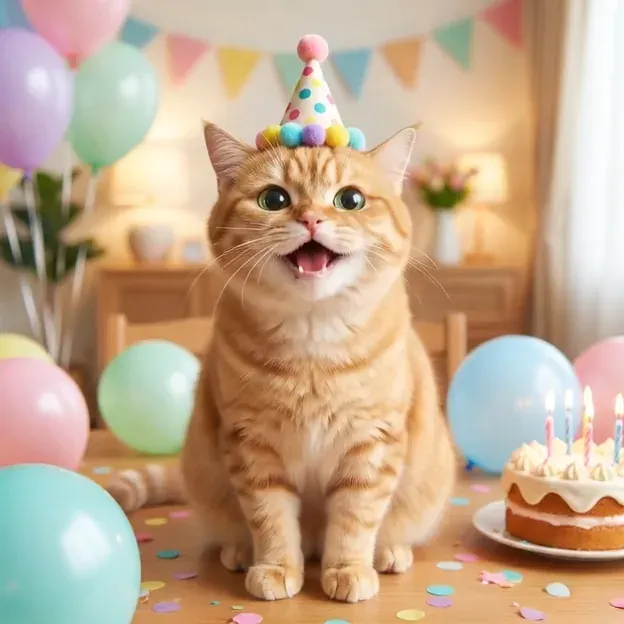
Each of these singing photo examples starts from one still photo and a short part of a song: a portrait at a party, a cat and a dog in party hats. They are reference examples, not singing photos made on this page, and we have not tested pets here yet, so a cat or dog photo may not work well. Hover or tap to play (they start muted; press the speaker for sound), then make your own singing photo above.
A portrait singing at a party1:1 · 0:13

A portrait singing at a party

A still portrait of a man at a birthday party sings to camera, lips and face following the vocals while confetti falls.

A cat in a party hat singing1:1 · 0:14

A cat in a party hat singing

A photo of a ginger cat beside a birthday cake opens its mouth in time with the song, between balloons and bunting.

A golden retriever in a party hat singing1:1 · 0:14

A golden retriever in a party hat singing

One photo of a dog in a party hat, animated so its mouth moves with the singing: a sung birthday card from a single picture.

15 s
of a Lip sync singing photo, 480p
60 s
of a Full body singing photo, 720p
10 MB
largest photo (PNG, JPG, WEBP)
14 days
to download your video

How to make a photo sing in 3 steps

A singing photo needs a face, a few seconds of a song and your okay. You need an account; the price shows on the button before you start.
  1. 01

    Pick a mode, add a photo

    Choose Lip sync or Full body at the top of the singing photo tool, then drop a photo on Drop a photo here or press Choose a photo (PNG, JPG, WEBP, up to 10 MB). Try a sample loads an AI-made portrait of nobody real and a song, so you can see the whole flow first. In browsers that support it, a hint says whether one face was found.
  2. 02

    Pick the part to sing

    Under Song, choose Upload a song or My songs. Under Part to sing, set Starts at and Length (5 to 15 seconds for Lip sync, up to 60 for Full body) and press Play this part to hear it. The part is cut in your browser before anything is sent.
  3. 03

    Tick the box, press Make it sing

    Confirm you have the right to use the photo, then press Make it sing, or Make it sing and move in Full body. Progress runs Uploading, In the queue, then Animating the photo (Making it sing and move in Full body); Your singing photo then plays in the page, ready to download. A run that fails gives its credits back.

Tips for singing photos that look natural

The model can only animate what it can see. These habits give a singing image its best chance, and save credits on runs that would look odd.
01

One person, facing the camera

Pick a photo where one face looks straight at the lens, eyes open. To make pictures sing well, avoid side profiles, sunglasses, a hand or a microphone over the mouth, and heavy beauty filters: they can make the run fail or the mouth look wrong.

02

Clear light, framed for the mode

Soft, even light with no deep shadows works best. For a Lip sync singing photo, shoulders up, the face filling a good part of the picture; for Full body, the upper body or the whole body in view, since the arms and body move too. The photo is scaled to 1280 pixels on its long side before upload, so a sharp phone photo is plenty.

03

A part where the voice is up front

The lips follow the singing, so choose a line where one voice is clear: a verse or a soft chorus beats a wall of backing vocals or a loud drop. A long gap with no singing leaves the mouth with nothing to do. Use Play this part before you pay.

04

Real faces work best

Cartoons, paintings, statues and pets may fail or look unnatural as a singing photo in either mode, and image singing from a group photo animates one face at best. Crop a group picture down to one person first.

The face hint is a tip from your browser, not a check: it can miss a face, and it never blocks a run.

Rights and consent rules for every singing photo

A face is personal. These rules are built into how the singing photo tool works, not left to good intentions.

A consent box on every run

Before Make it sing works you tick the box: you have the right to use this photo because it is you, or the person in it has agreed, and it is not a public figure. In Full body you also confirm you won't pass the video off as someone else. The server refuses runs without it and records who agreed, when, and to which wording.

No celebrities or public figures

No photos of celebrities, politicians or other public figures, and none of people who have not agreed. Nothing can tell who is in a photo, so this rule rests on the box you tick. Never use a singing photo to mislead, mock or impersonate anyone.

Signed in, files deleted

Every singing photo run belongs to a signed-in account. The photo and the clip are deleted after 24 hours; the video stays downloadable for 14 days.

What people make with a singing photo

Short, personal and with everyone on board. Three singing photo ideas that fit 15 seconds of Lip sync or up to 60 of Full body.

A sung card from your own selfie

Make a birthday song with the happy birthday song generator, then pick its best line: your photo singing it makes a message to send. Your own face needs no one else's permission.

Musicians putting a face to a hook

A singing photo of your press shot on the hook of your new song makes a Story or a teaser, and Full body can carry a whole chorus of up to 60 seconds with the head, arms and body moving. It is a different idea from a musician photoshoot AI with your own face: nothing new is drawn; the photo you already have sings.

A singing moment inside a longer video

Download the clip and drop it into your edit as a punchline, an intro or a reaction. For the whole song as a video, the AI music video generator cuts AI scenes to the beat.

Singing photo modes or a music video?

A singing photo is short by design: Lip sync is the face-only version, Full body adds movement and length. For the whole song, the music video tool renders in your browser.
Lip syncFull bodyAI music video
You start fromA photo of one face and a songA photo of one person and a songA song, plus a photo if you like
What movesThe face, lip-synced to the vocalsHead, arms and body as the person singsAI scenes cut to the beat, or lyrics over your photos
Length5 to 15 seconds5 to 60 secondsThe song, up to 8 minutes
Resolution480p720p720p class
PriceCredits per second, the lower rateCredits per secondFree in the browser; AI scenes use credits
Sign-inNeededNeededOnly for AI scenes

Singing photo FAQ

A short video made from one still photo and a part of a song. On Song AI Studio a singing photo has two modes: Lip sync animates the face so the lips follow the vocals, for 5 to 15 seconds at 480p; Full body makes the person sing and move, for 5 to 60 seconds at 720p.

Make your first singing photo

Pick Lip sync or Full body, add a clear photo, choose a part of a song, tick the consent box and press Make it sing. Your singing photo plays in the page and downloads as a video.
Choose a photo